TRUSTED EXPERTS ANY DEVICE

Blog
  • Posted on: 8/31/2011

    Data Recovery Service

    If you just suffered hard drive failure, you might be searching the Web (perhaps on someone else's computer or on your smart phone) looking for a data recovery service that can help you. You might be unfamiliar with the data recovery process, and you're not even sure what to look for in a data recovery firm. We can help.

     1. Success rate - Obviously, you want to work with a firm that has the best chance of getting your data back. 24 Hour Data has a success rate of more than 99 % when it comes to recovering lost data from RAID servers, hard disk drives (HDD), solid state drives (SSD), USB flash drives, memory cards and more. If a company doesn't publish its success rate or won't give you a straight answer, be very skeptical.

     2. Fast service - When you're facing the loss of mission critical data, every second counts. If you're a business, you can't afford the downtime and lost productivity. If you're an individual, you just don't want to wait, nervous about whether or not you'll ever see your data again. 24 Hour Data provides free, honest price quotes and evaluations within a few hours of receiving your hard drive or other storage media, and will recover your lost data within 48 hours in most cases, and sometimes sooner.

     3 - Friendly, understanding data recovery professionals - One of our customers, Dixon Rich of Coppell, Texas, paid us the highest compliment the other day, and we like to think it really sums up our data recovery business here in Plano. “24 Hour Data was able to recover all my lost data but, more importantly, they demonstrated that they really care about people.” 

    We had recovered some photos that were very important to Dixon off a SanDisk Cruzer USB flash drive. But the fact is, we put the same care and diligence into every data recovery we provide, whether it is for a business or an individual. 


  • Posted on: 8/29/2011

    Student Data Loss

    High school and college students facing catastrophic data loss the day before a big assignment is due may panic. Almost everyone has been there at least once. You've just spent hours, maybe even all night, working on a paper. You hit save. And the computer freezes. The drive begins making clicking noises, then it starts grinding. Now you're looking at the “blue screen of death.” This really can't be happening.

    But it is. And it does.

    Often, it's those last minute assignments that never get backed up. Most students and home users perform back-ups nightly or weekly, if that. It's very rare someone would back up a story they're in the process of writing and had just started during that computer session.

    Yet, when you're putting your computer through the paces for long hours, that's exactly when things are bound to go wrong. Things like overheating. Or maybe it has nothing to do with how long the machine has been on. Catastrophic hard drive failure can happen at any time. And Murphy's Law states it's probably going to happen on the day before that big term paper is due.

    Does it sound like we understand? Like we know what it's like because we've had a few customers in exactly that situation? Or it's happened to our data recovery experts years ago? (Yes, it has. We're human, too, after all.)

    That's why 24 Hour Data provides emergency data recovery for college students at affordable prices. It shouldn't be a choice of eating or recovering your lost data. 24 Hour Data even provides an external USB hard drive of up to 250 GB to return your recovered data, and we ship it back to you on us, as well. 

    When you pack your bags for school this Fall, remember to bring the number for 24 Hour Data with you. We hope you won't need us this semester (or ever.) But we're here for you if we do, with a prompt price quote (within a few hours of receiving your hard drive) and complete data recovery, usually within 24 to 48 hours, backed by our iron-clad data guarantee.

  • Posted on: 8/24/2011

    Data Recovery

    When you lose important data from a hard drive, USB flash drive, RAID server, Mac device or any other piece of storage media, you have a lot to think about:

    - Finding a data recovery company (if you've made it to this site, we hope you'll start the data recovery process with us!)

    - Shipping your hard drive or storage media

    - Considering the price quote and determining if it's fair

    - Managing the effects of the data loss on your company or your family, doing your best to do “business as usual”

    Free Price Quote and Storage Media Included

    When you choose 24 Hour Data, we make the data recovery and free price quote process as painless as possible for you. Our caring and considerate phone operators have experience with data recovery services, and know the right questions to ask to provide you with the information you need while remaining calm and treating you with empathy. The last thing you need when you are in a panic over lost data is poor customer service or an operator on the other end of the line who doesn't understand what you're going through.

    In our efforts to make data recovery as easy as possible for our customers, 24 Hour Data also provides the storage media (up to 250 GB) to return your lost data to you safely.

    Whether you send us a USB flash drive, hard drive, external hard drive, solid state drive, digital camera, SSD flash memory card or other storage media, we return up to 250 GB of your lost data on an external hard drive. If we are recovering data from a larger hard drive or RAID array, we will ask you to provide the storage media. Then we pay for shipping to send your data back to you -- fast -- via FedEx.

    From our friendly customer service to the easy way we manage the data recovery process, 24 Hour Data lives to make our customers happy. After all, that's how we stay at the forefront of the data recovery industry. 


  • Posted on: 8/22/2011

    Mac OS

    Apple manufactures the bestselling laptops in the U.S. with the MacBook line. Mac users tend to be brand evangelists, but they have reason to be. A Mac laptop may cost a little bit more than its PC counterpart, but users say it's better because of the:

    - Enhanced security ... Macs are simply less prone to viruses and hacks than PCs

    - Processing capabilities, power and interface for tasks like photo and video editing

    - More intuitive interface

    - Style, design and image

    Macs and Security
    Today, many of the things that made Macs great are also available on PCs. But Macs remain more secure in regard to their vulnerability to hacker attacks and viruses. Or do they?

    A Mac with a Java-enabled Web browser is as susceptible as a PC is to malware and infections, because Java provides root access which makes modifications possible. If you disable java, you'll be safer but the fact is, any computer that connects to the internet is susceptible to attacks that could result in a loss of data.

    Don't misunderstand -- Macs are still far less susceptible to hacker attacks than PCs, and there still really aren't any “viruses” that infect PCs. But there are steps you can take to protect yourself, your Mac, and your important data:

    - Only download files from trusted sources (like the Mac app store)

    - Connect to the Internet via secure connections only

    - Back up your files to the cloud regularly

    - Call 24 Hour Data right away if you experience a blinking question mark screen, failure to boot, and any other problems with your Mac that result in catastrophic Mac data loss


  • Posted on: 8/19/2011


    Hard Drive Recovery

    Are you in need of emergency data recovery services? At 24 Hour Data, we want to make it as easy as possible for you to call on us to recover your important home or business data. 

    That's why we offer you a free 250 GB external hard drive where we store your recovered data. We ship the drive, along with your old hard drive or other storage media, back to you via FedEx ground and even cover shipping costs. (If you want your data back even faster, we'll simply bill you for the price difference for overnight shipping.) 

    Data Recovery: Fast and Easy Process
    Our data recovery process remains as easy as ever. You ship us your drive, following best practices for shipping electronics equipment so you know it will arrive safely. We'll phone you with your free diagnostic within about two hours from the time we receive your drive. If you decide to go ahead with the data recovery process, we'll send your data back to you on a 250 GB external hard drive. If you have more than 250 GB stored on your computer hard drive, we ask you to provide the storage media. Then we pay the shipping to send your data back to you safely. 

    Free Diagnostic for Data Recovery You really can't lose with a free diagnostic and honest price quote and a free 250 GB hard drive shipped back to you free of charge. If you've always thought data recovery was too expensive, contact us for a free estimate. You'll be surprised at just how affordable it is to restore everything from mission critical small business data to family memories in the form of photos and video. 

    Our Data Guarantee 
    We offer an iron-clad data guarantee to get your data back, whatever it takes. If, for some reason, we have worked all we can to retrieve your lost data but find it beyond recovery (it happens less than .01% of the time) there's no charge to you for our work and time. And, again, we'll ship the drive back to you free of charge.

    Whatever your data recovery needs, 24 Hour Data does everything we can to make it easy for you to get your data back fast!


  • Posted on: 8/15/2011

    Hard Drive Recovery

    If you need more space on your computer, you may want to upgrade your internal hard drive. This isn't a complicated process, but you need to know some of the basics of computer hardware. Follow these three easy steps to upgrade your hard drive.

    Remember, any time you make a significant change on your computer, there's a risk of catastrophic data loss requiring hard drive data recovery. Keep the number for 24 Hour Data handy so you can start the data recovery process immediately if something goes wrong when you install your new internal HDD.

    Steps to Installing a New Hard Drive

    1. Look for an extra connector on your motherboard or IDE cable and make sure there's a bay available to place the hard drive. If you have a connector on the motherboard but not on the cable, you just need to purchase a second IDE cable. Finally, check to make sure the cable will reach the bay. If you don't have an extra bay or an extra connector, consider an external USB hard drive for extra storage, instead.

    2. Check your IDE devices to determine their settings. The current hard drive should be master. If you have two IDE cables, you can set both hard drives as Master, with a CD-ROM or other device as slave. Make sure the boot hard drive is the Primary, rather than Secondary, master on your motherboard.

    3. Install the drive in the bay, with the silver side of the drive on top and the connector facing toward the mother board. Using an extra power cord from your power supply, or adding a splitter to the power supply, connect the drive to the power supply. Finally, plug in the IDE cable. Your hard drive is installed, and you'll just need to format it for your version of Windows.

     An additional hard drive will give you extra storage space, back-up potential if one drive should go bad, or can increase the speed of your computer if you make your newer, faster drive the boot drive. It's an easy process, but if something goes wrong and you lose your important data, 24 Hour Data can help with emergency data recovery


  • Posted on: 8/12/2011

    Airline Travel Data Recovery

    It was a great meeting. You landed three big deals, had a great time at an industry party with some long-term clients, and can't wait to type up your meeting reports and follow up emails on the flight home.

     It's a bumpy trip, but you're so engrossed in your reports you don't notice. And then it happens. You return home that night and turn on your laptop to check your email one last time before sinking into bed after the best business trip of your career. But a grinding sound and error message bring you back to earth in a very unpleasant way. Your hard drive is failing.

    Airline Flights Are Hard on Laptops
    Do you travel frequently with your laptop? If you think turbulence bounces around airline passengers, just think about what it's doing to laptop computers, external hard drives, netbooks and Macbooks in the overhead bins of airplanes.

    If you've been on a bumpy flight -- or any flight, for that matter -- and your laptop refuses to boot properly after your trip, your hard drive may have suffered irreparable shock damage. If your well-traveled hard drive or external drive is making grinding, clicking or whirring noises, turn it off immediately. This could be a sign of shock damage, where the platters won't spin or the actuator arm isn't resting properly, or the read heads have damaged the platters.

    If you are using your laptop and experience turbulence on a flight, the read-heads may have become damaged if they were reading data at the time they were knocked around. While today's computers are designed to protect from this type of damage by parking the heads during movement, sudden jostling received on an airplane may cause malfunctions. You're dealing with very delicate equipment.

    Call 24 Hour Data to Save Your Business Trip
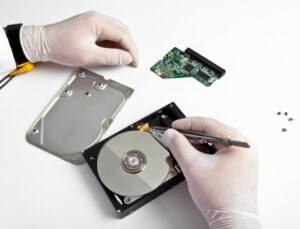
    Physical hard drive recovery is a complex process requiring a clean room environment to open the drive and retrieve data. 24 Hour Data specializes in both logical and physical recovery. Don't let the best business trip of your life turn sour. Call us to let our data recovery experts retrieve your mission critical business data from your laptop, MacBook or external hard drive. 


  • Posted on: 8/10/2011

    Data Recovery Shipping

    Have you considered professional data recovery services for your lost data but you're not sure where to start? Are you ready to ship your hard drive or flash drive to 24 Hour Data for a free diagnostic, but you're afraid it won't arrive safely?

    Don't worry! Lost data is stressful enough. These easy-to-follow instructions will help you package your hard disk drive, flash memory card or USB drive quickly and easily, so you know it will arrive to the 24 Hour Data diagnostic lab safely. Once we receive your storage media, we'll offer a free diagnostic within about two hours.

    Pack up your hard drive for shipping to our data recovery facility in three easy steps.

    - Call 24 Hour Data for your ground shipping FedEx label -- shipping costs are on us!

    - Wrap your hard drive in at least 2 inches of bubble wrap, packing peanuts, or other packing materials and a plain brown shipping box or a box from FedEx. Seal with packing tape.

    - Call FedEx for a free pick-up or drop off your packaged hard drive at the nearest FedEx location.

    Still sound difficult or  time-consuming? Don't have the right size box? No worries. For a fee, you can bring your hard drive to FedEx, where they will package it safely for shipping, marking it as “fragile electronics.” The company even has special boxes available for shipping hard drives, laptop computers and other sensitive electronic equipment.

    You don't want to do more physical damage to your hard drive prior to a data recovery. Save time and money -- and improve the chances we can recover your lost data -- by packaging your hard drive carefully. 

  • Posted on: 8/08/2011

    Photo Recovery

    According to a Priceline survey, the staycation trend is ending and people are traveling again for the summer. The Priceline survey showed about 86% of people planning summer vacations.

    If you're in the majority of people traveling this summer, you might be bringing a smartphone, iPad, netbook, digital camera or maybe even your laptop computer. If that's the case, you may be storing your vacation photos on one of these devices before you even head home. But airline travel can be rough on electronic devices. Follow these tips to protect your memories -- and all your family's important data -- during your vacation.

    1. Airport X-ray machines won't harm smartphones, laptops, digital cameras or other devices. Remove laptops from their case as instructed and keep an eye on your laptop as you send it through the X-ray machine. Since many laptops look alike, you may want to mark yours by putting a brightly-colored sticker or a label with your name on the top to prevent mix-ups.

    2. Make sure your laptop is in a padded case. Keep in mind objects may shift in overhead bins. Open overhead storage compartments carefully to prevent your laptop bag from falling out and causing shock damage to the hard disk drive. Better yet, stow your laptop bag under your seat. 

    3. Consider storing USB drives and flash memory cards in your pocket where they won't be crushed in overhead bins. Or keep them in your padded camera case for protection.

    If your computer is harmed during travel, resulting in catastrophic data loss, you may be covered by your airline carrier or credit card for the replacement cost of the computer. But you'll still need affordable data recovery service to restore the priceless data on your machine. Call 24 Hour Data to begin the data recovery process wherever you are.

    We'll have your data (up to 250 GB) shipped to your home on an external hard drive provided by us. Take precautions with your laptop, camera, and important data when you travel. But remember that 24 Hour Data is there when you need us to restore lost data fast -- guaranteed! 

  • Posted on: 8/02/2011

    Brown-Outs

    With air conditioners and pool filters often running 24-7, power consumption rises during the hot summer months in Dallas, Texas. This can lead to rolling brown-outs, which can wreak havoc on sensitive computer systems and result in lost data and the need for data recovery in homes and businesses across Texas.

    To help prevent data loss:

    - Save files frequently

    - Use a Universal Power Supply (UPS) with surge protection
    -
      If you hear news of a brown-out or potential black-outs, or during lightning storms, unplug your laptop and work off the battery

    Keep Our Phone Number Handy for Data Recovery
    Even if you follow these tips, the potential for data loss during a brown-out exists. When a computer isn't receiving enough power to operate, it shuts down. Shutting down without following proper procedures can result in file corruption, including corruption of system files which can render your important data unreadable and require a complete Windows re-installation.

    Additionally, power surges that may occur when power turns back on can cause permanent damage to your hard drive, requiring logical and physical
    hard drive data recovery services.

    If your computer won't boot up properly following a brown-out or a lightning storm, do not attempt data recovery yourself. Let the experts at 24 Hour Data handle your HDD or solid state disk drive (SSD) data recovery to prevent further damage to your important files. 


Pages

Subscribe to Blog